QuiteReader

Version 1.2.0Windows, macOS, Linux

The quiet way to read the web

A fast, beautiful and private RSS reader for your desktop (Windows, macOS, Linux), built with Rust and Tauri.

Your feeds, articles and notes stay on your computer.

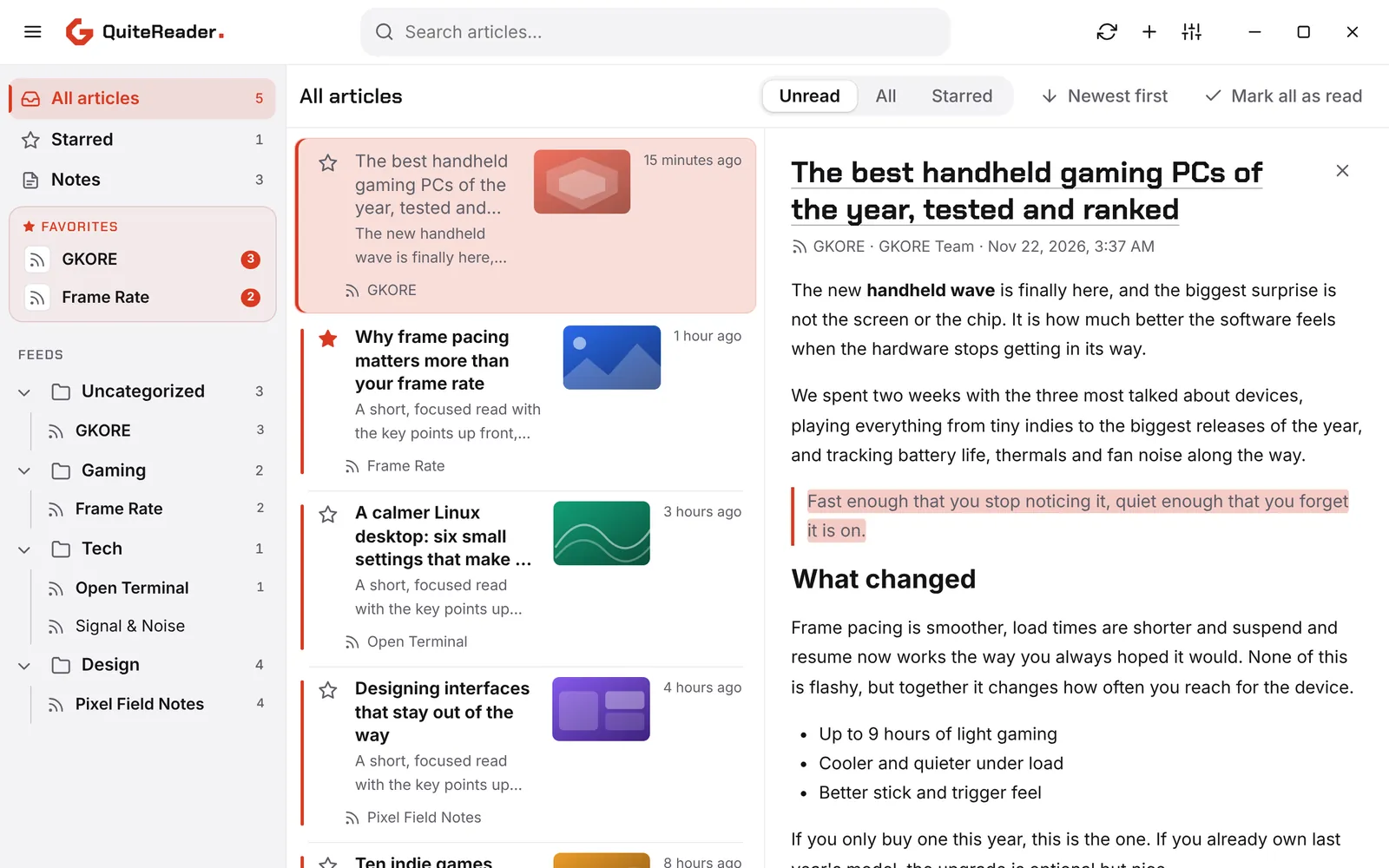
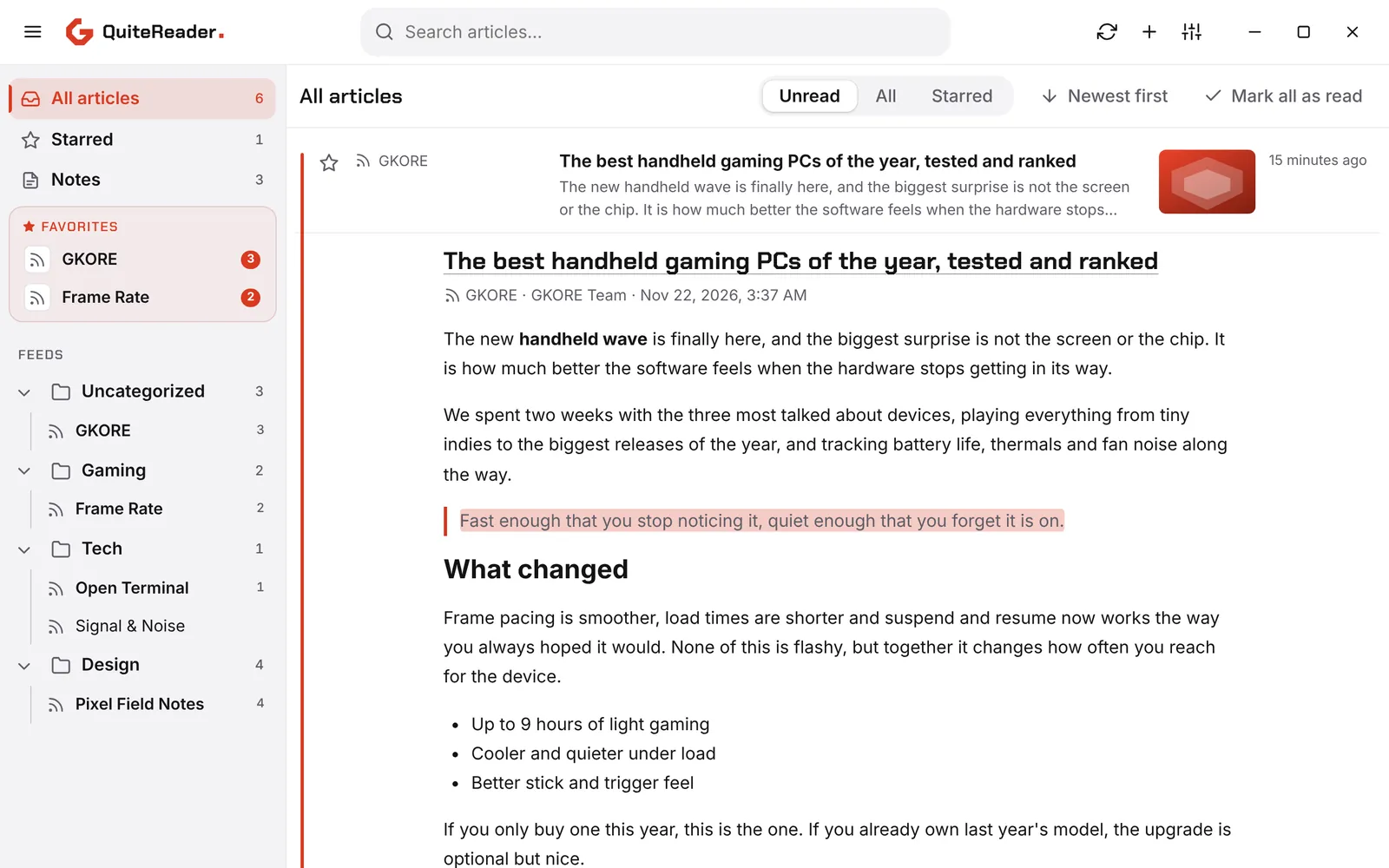
QuiteReader reading pane: article list on the left, the open article on the rightQuiteReader reading pane: article list on the left, the open article on the right

Features

Everything you need to read more and scroll less

Reading

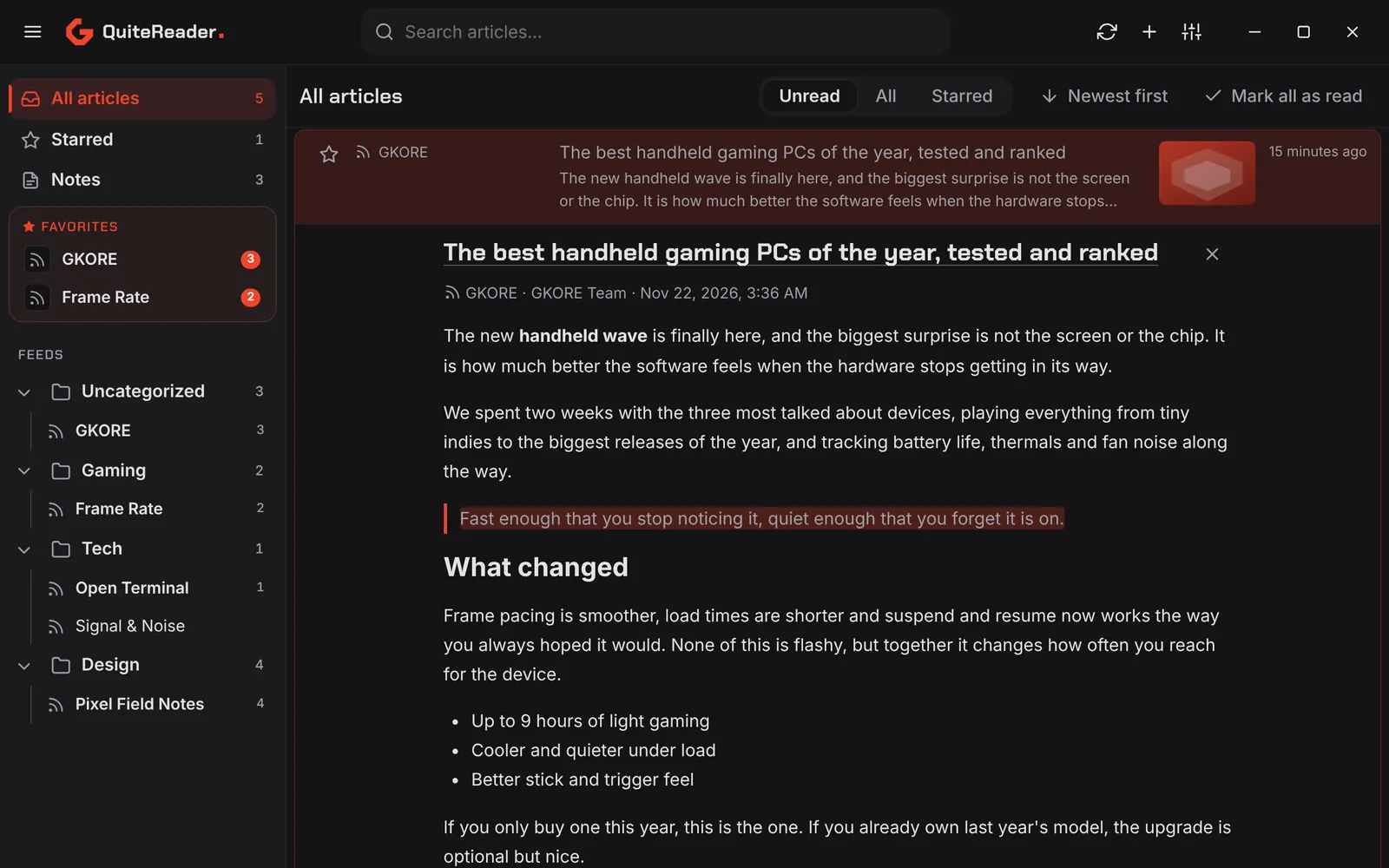
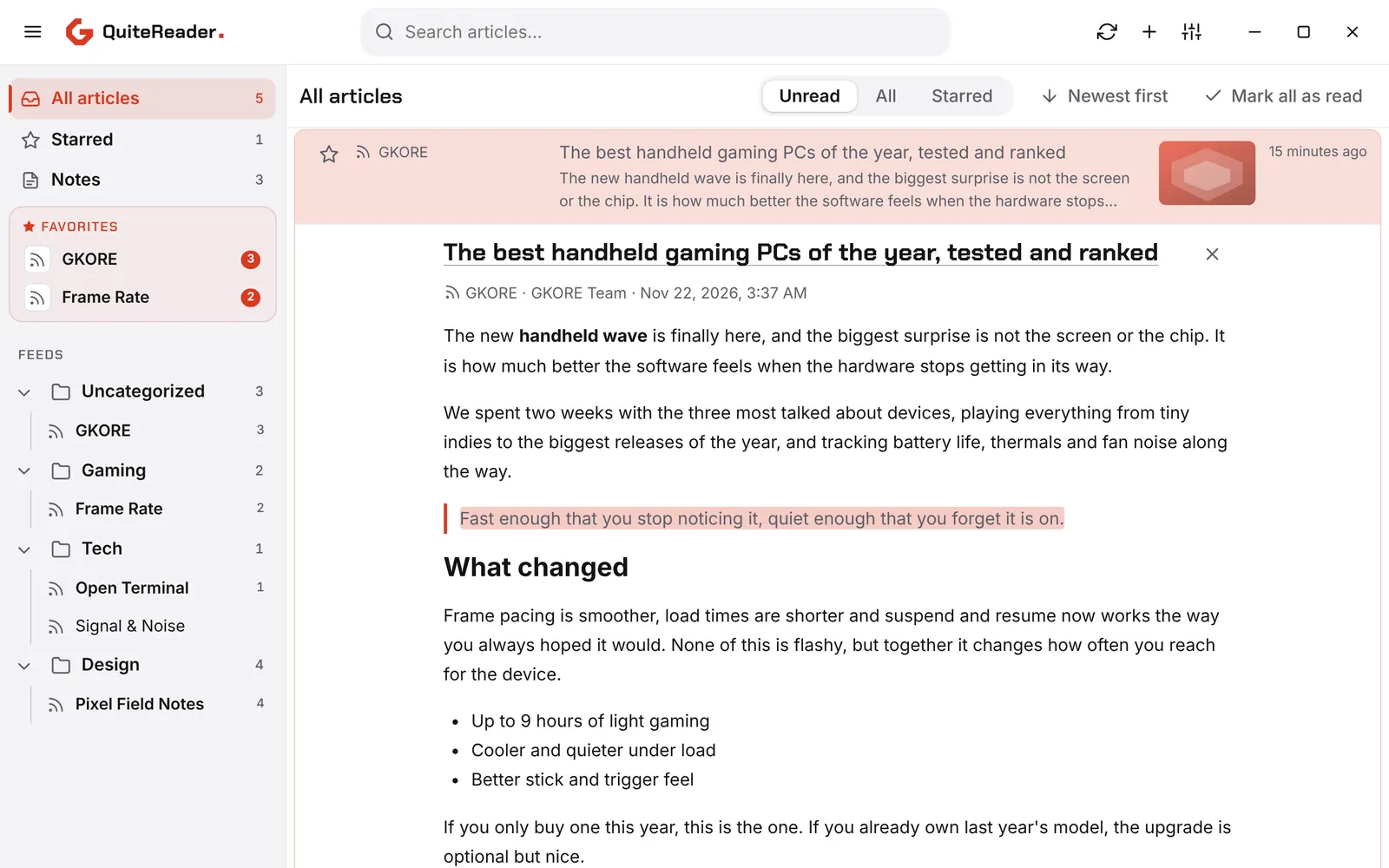
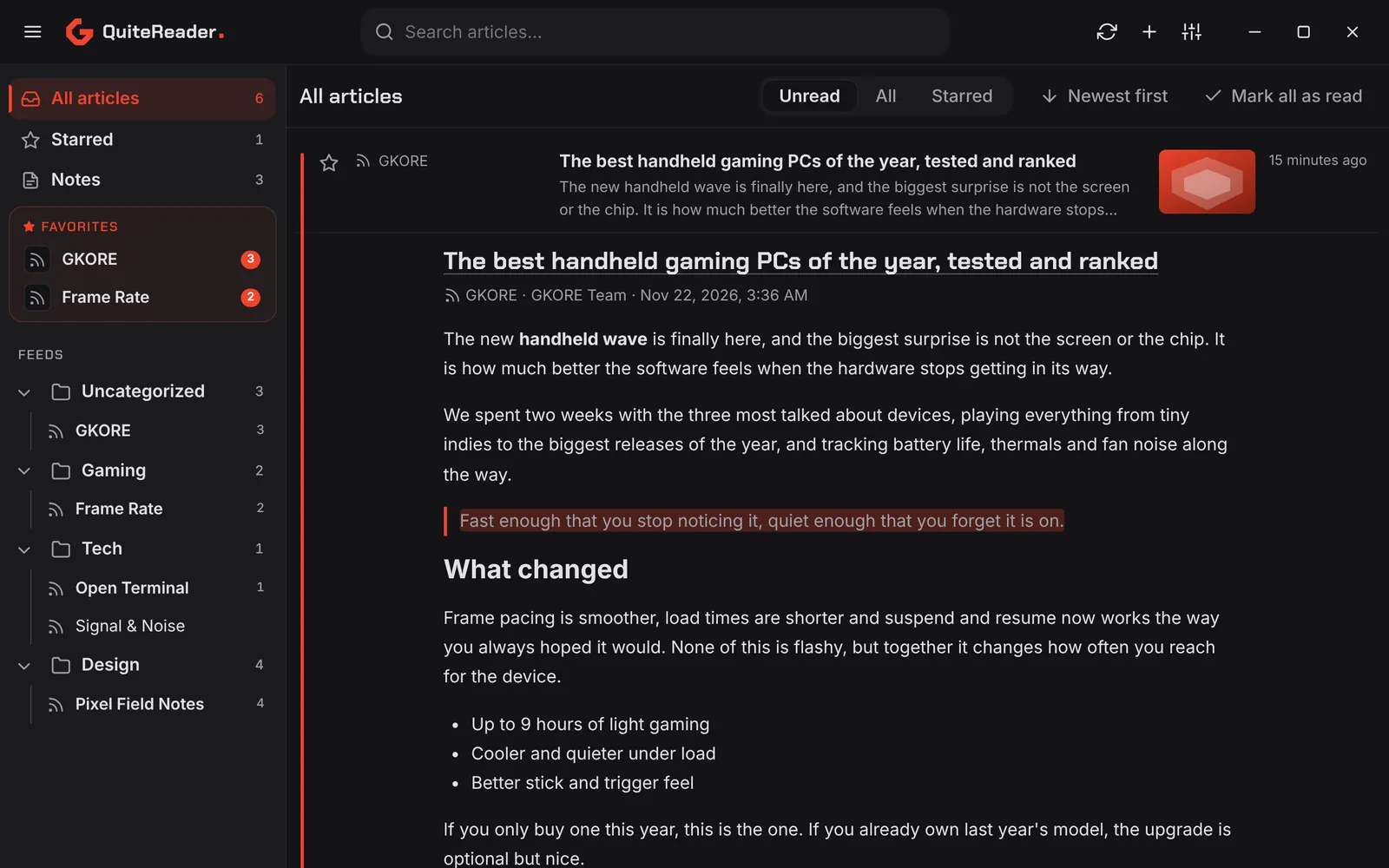
Three layouts, one reader

Read the way you like. Switch layout any time, and your choice sticks.

  • List: compact rows that expand in place
  • Reading pane: list and article side by side
  • Full articles: everything on one long page
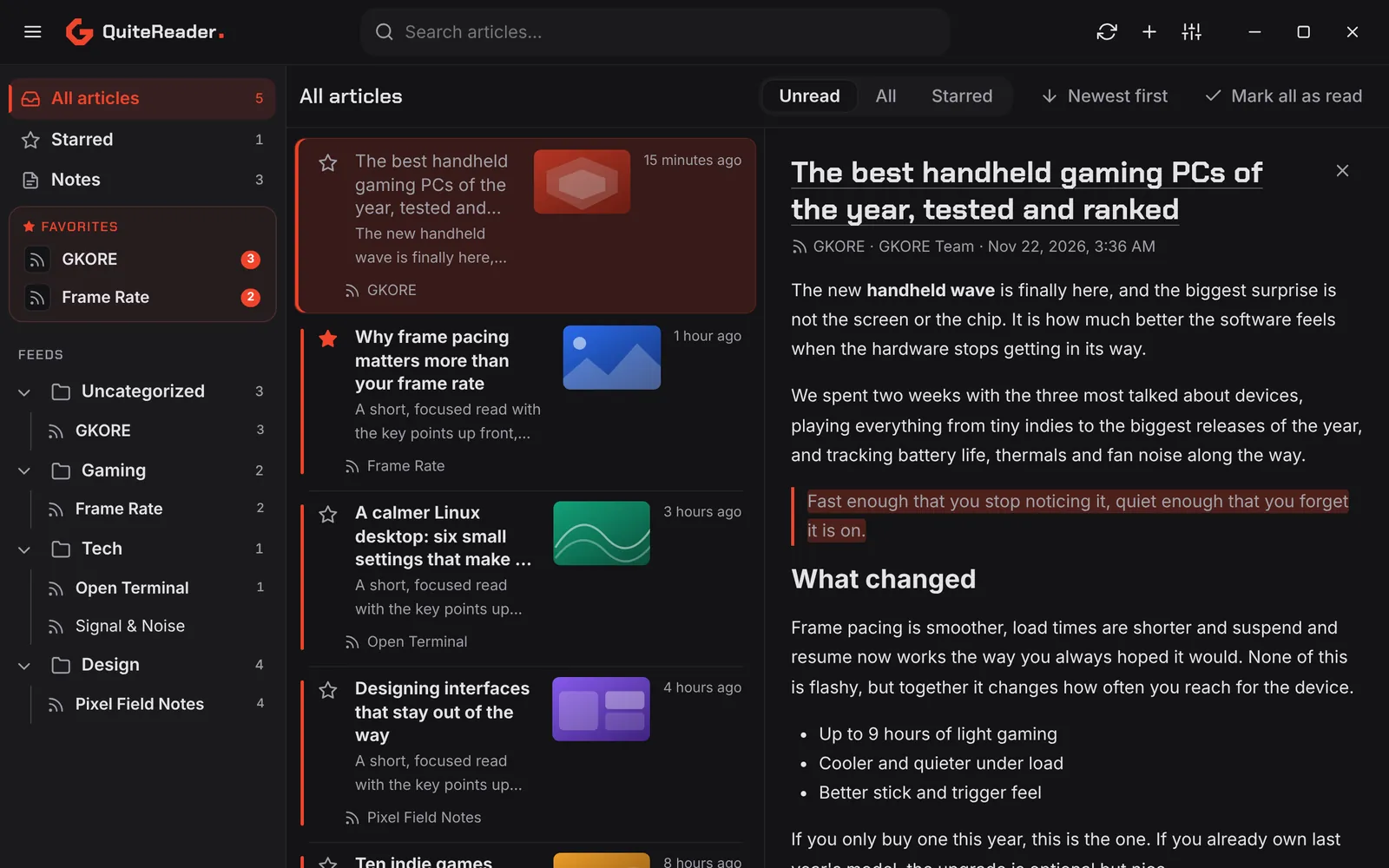
QuiteReader in the Reading pane layoutQuiteReader in the Reading pane layout

Two columns, like an email app.

Notes

Keep what matters

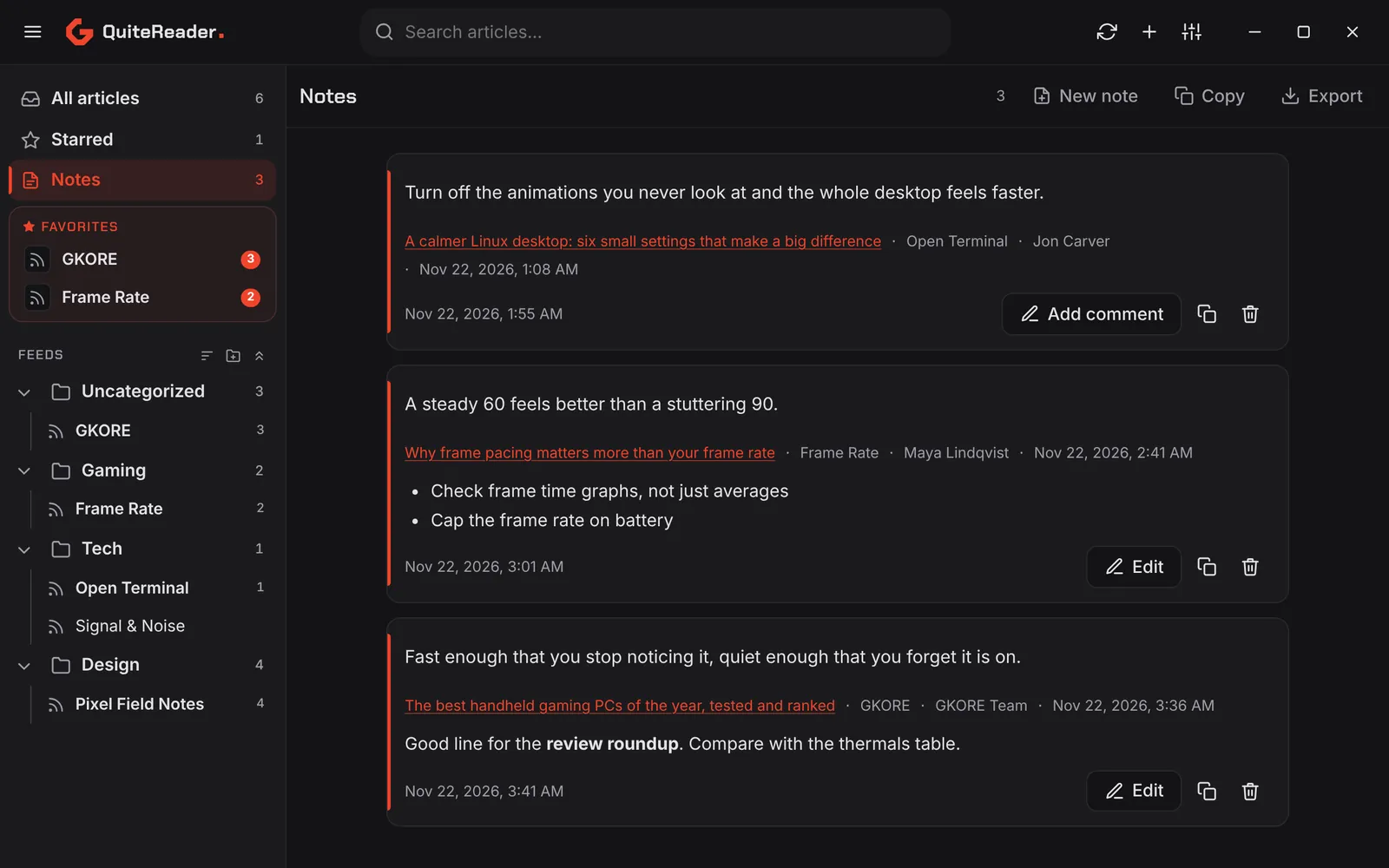
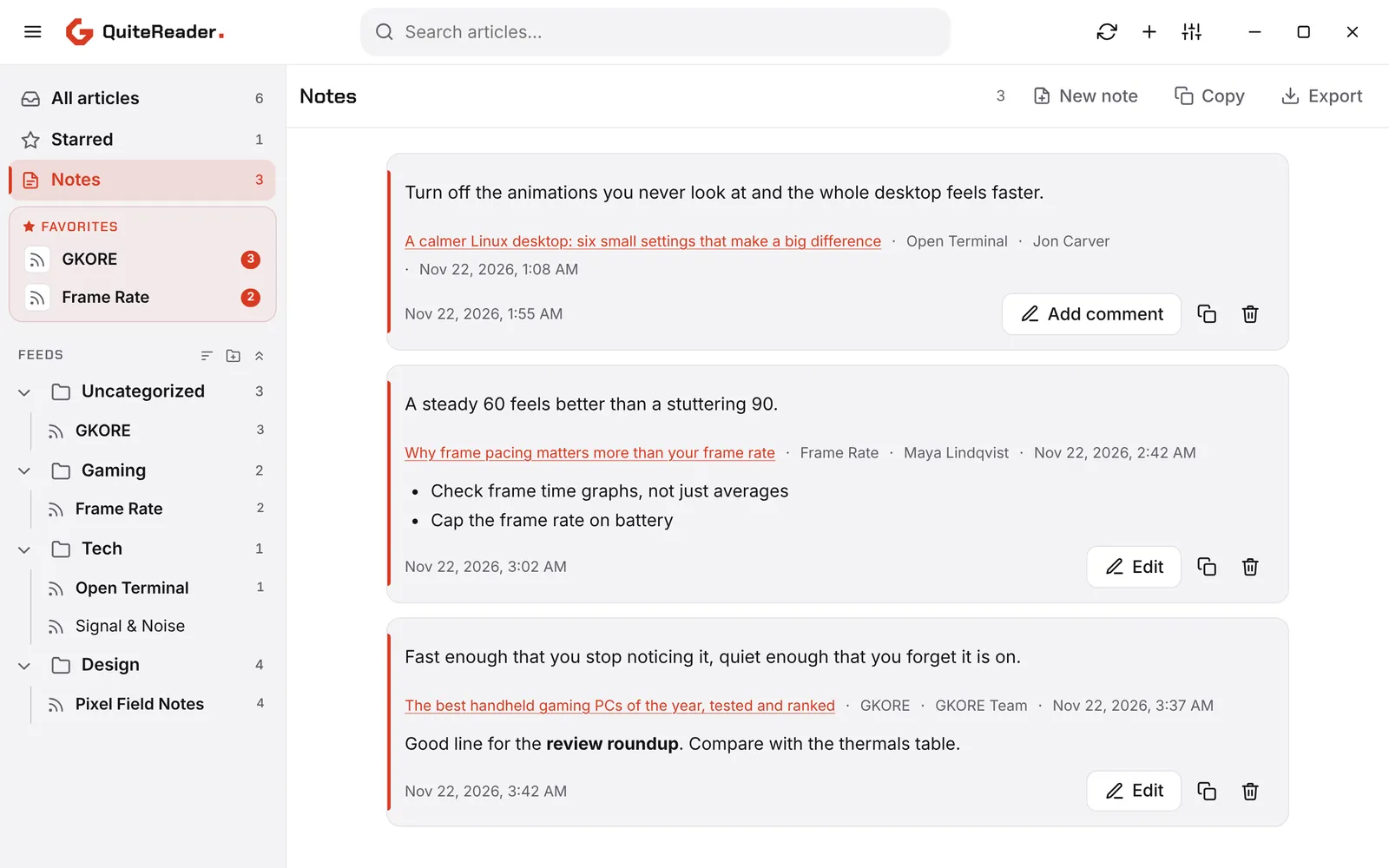
Select text in any article and choose Add to notes. Every note remembers where it came from.

  • Keeps the title, link, feed, author and date
  • Formatted as you write, copied and exported as Markdown
  • Saved passages stay highlighted in the article
The Notes view in QuiteReader with saved passages and commentsThe Notes view in QuiteReader with saved passages and comments

Discover

Find feeds in one click

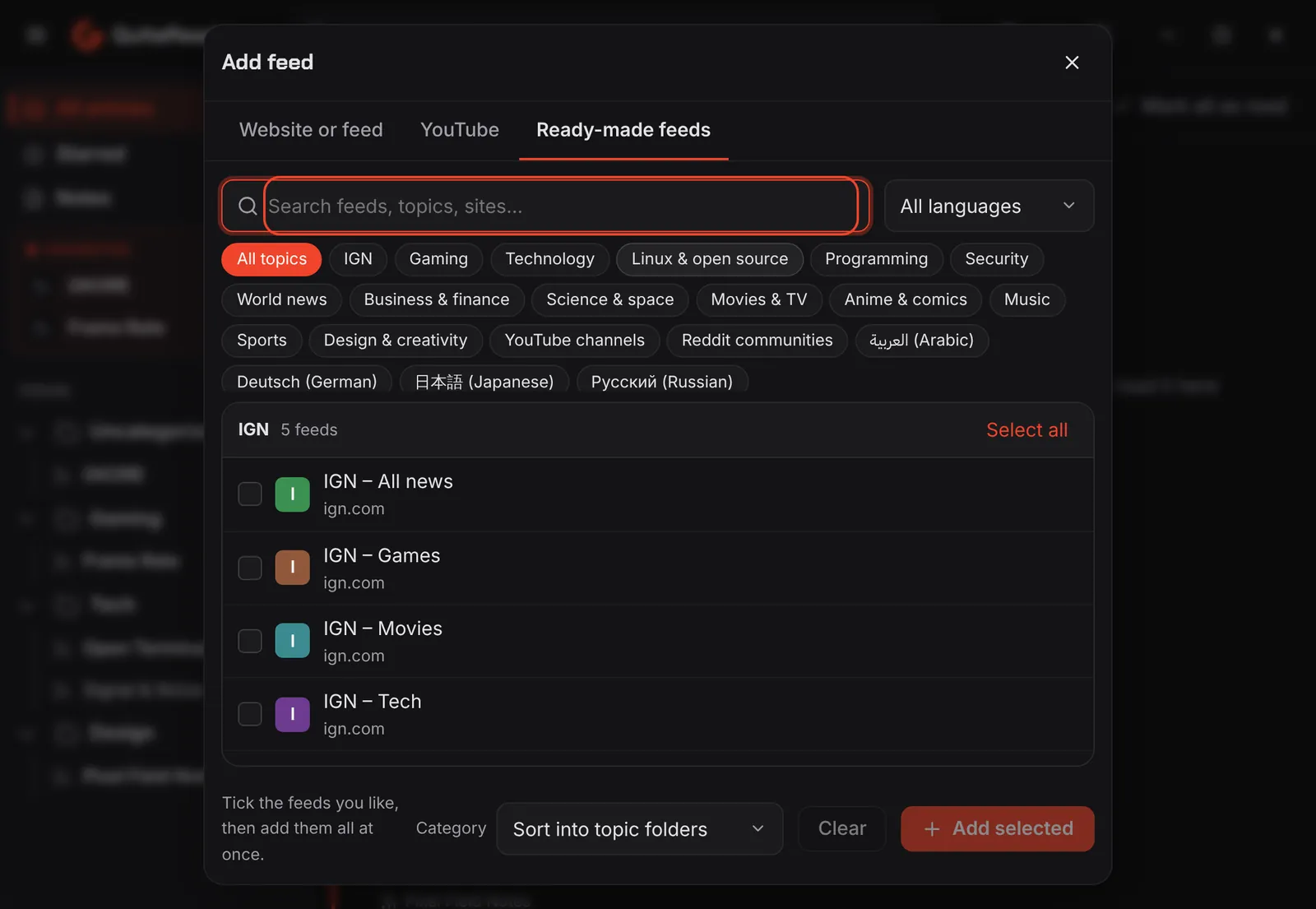
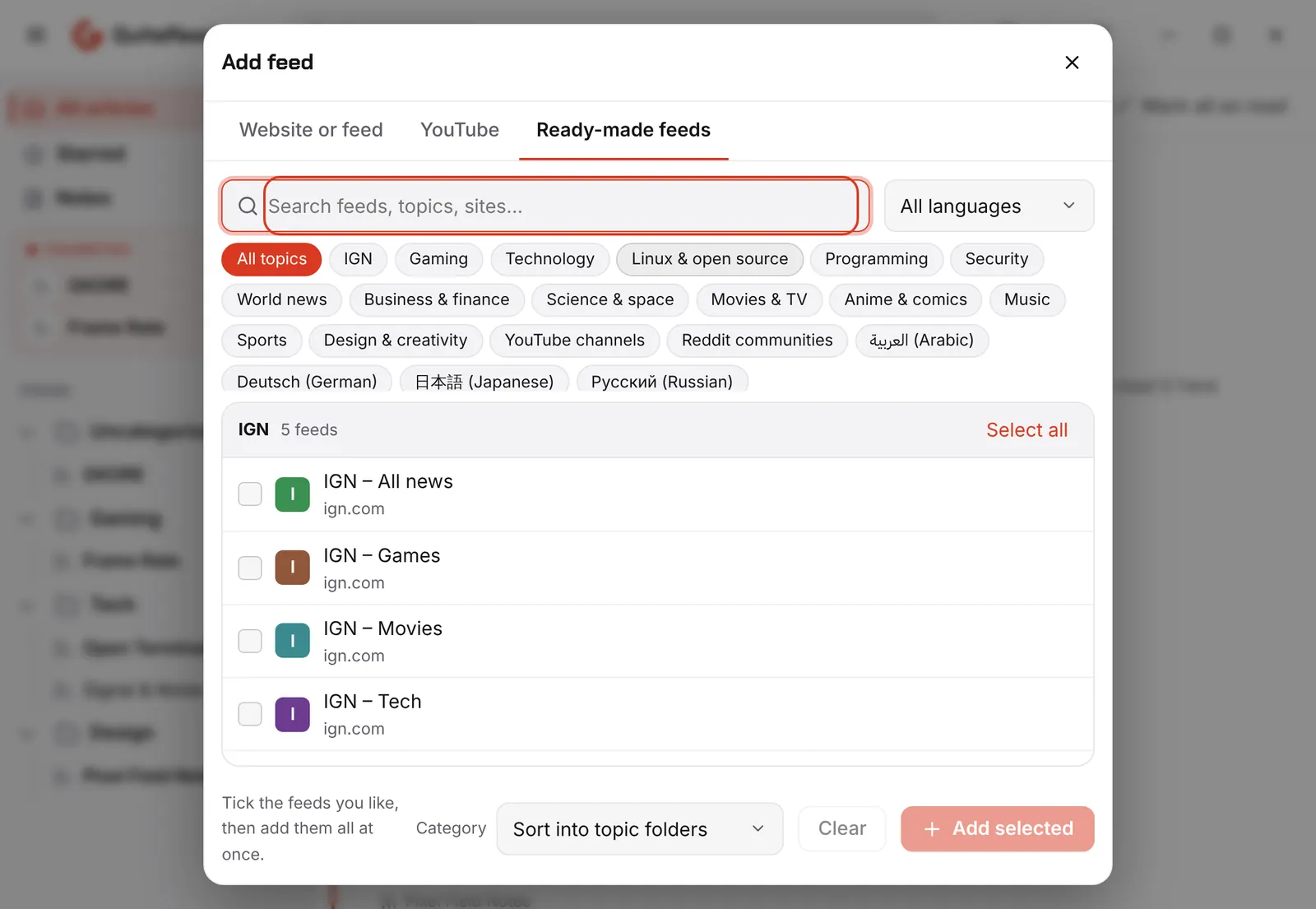
A built-in catalog of ready-made feeds, so a fresh install is never empty.

  • About 200 feeds in 20 topics, searchable by topic or language
  • Tick the ones you want, add them all at once, sorted into folders
  • Paste a website, a YouTube channel, r/subreddit or a GitHub repo
The Ready-made feeds catalog in QuiteReaderThe Ready-made feeds catalog in QuiteReader

Appearance

Make it yours

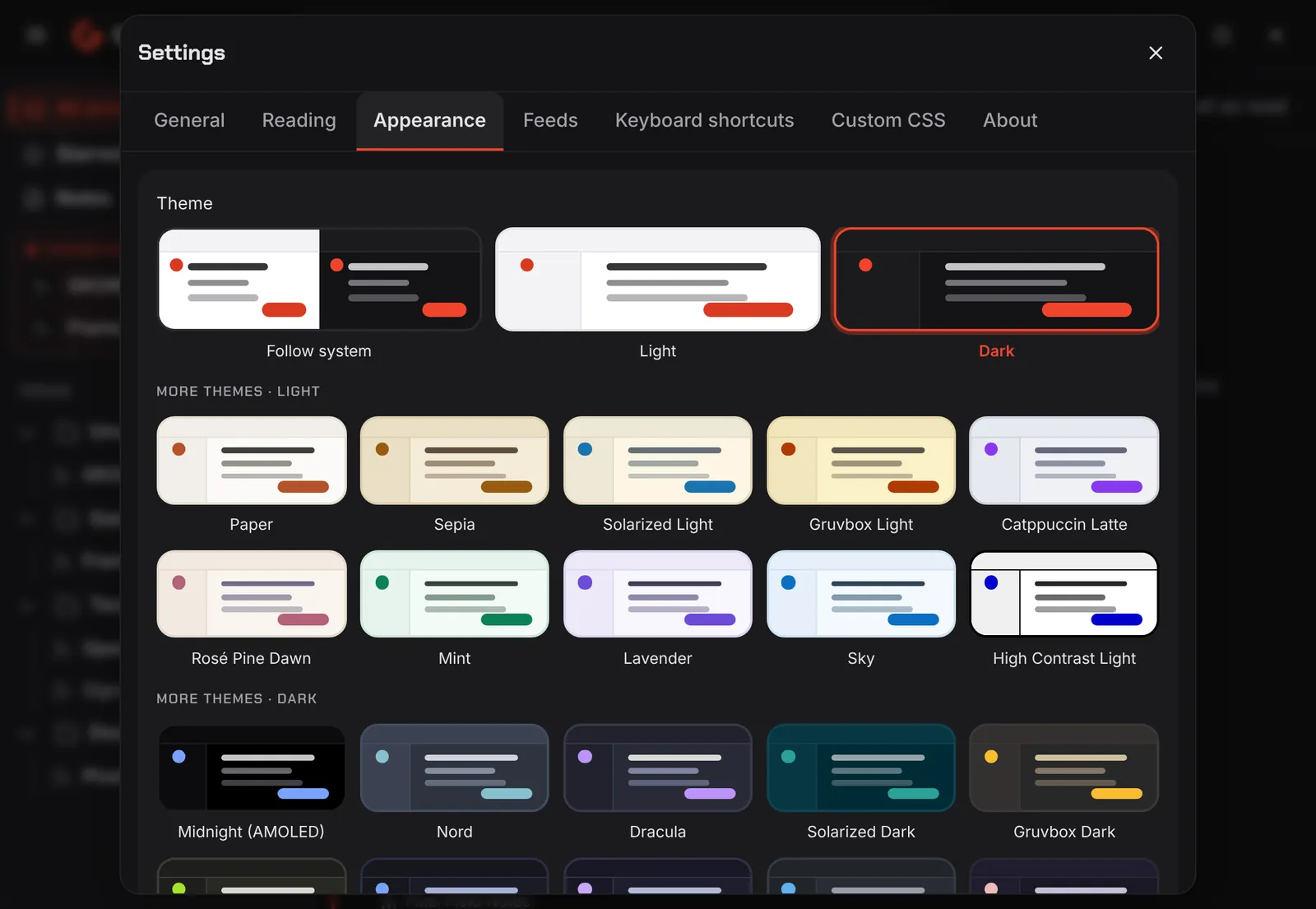
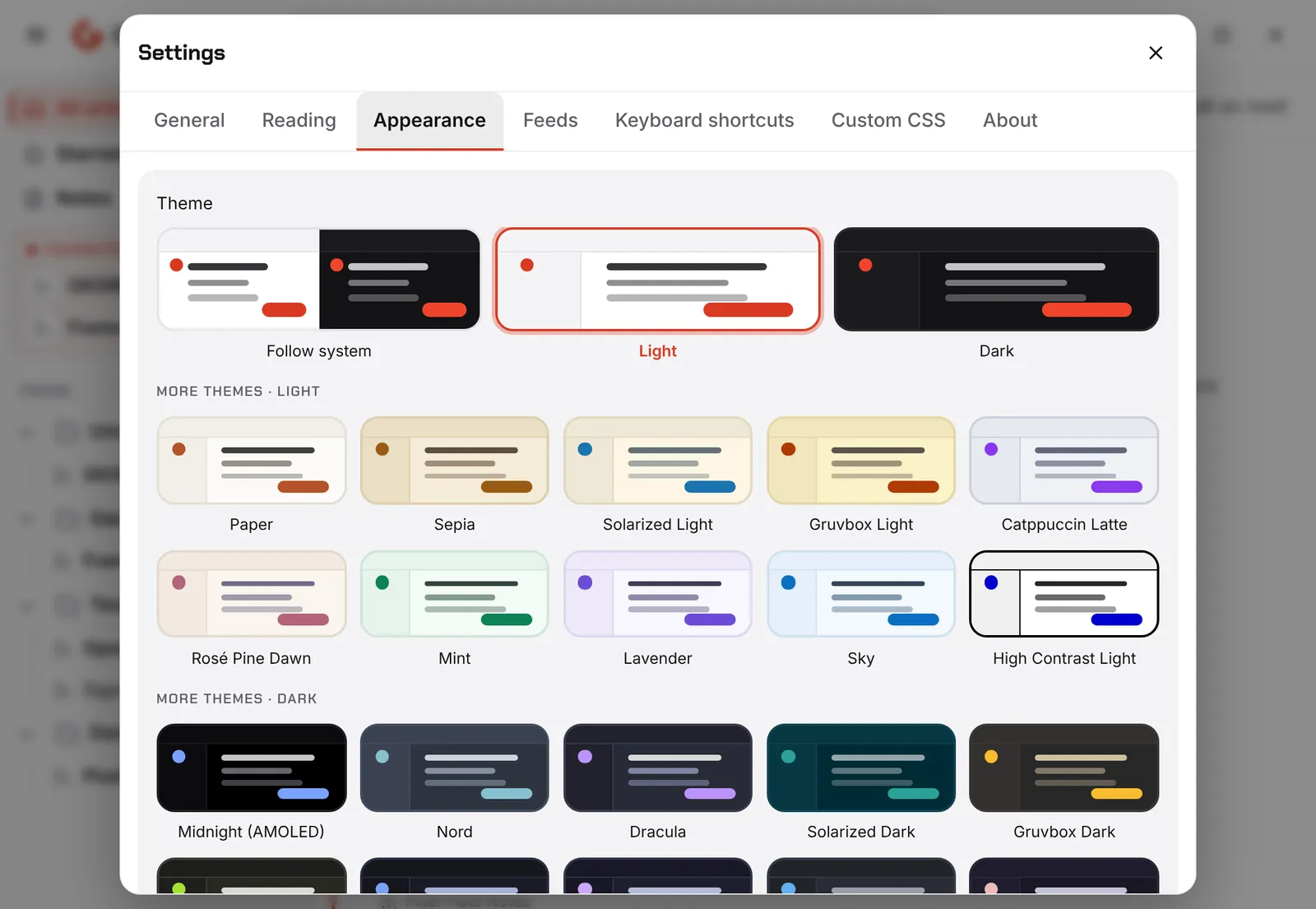
Start from the GKORE look or pick one of 26 themes. Go further with your own colors, fonts and CSS.

  • Light, dark or follow your system
  • Custom colors, fonts, corner radius and spacing
  • Reduce motion and scale up on large screens
The theme picker in QuiteReader settingsThe theme picker in QuiteReader settings

Languages

Speaks your language

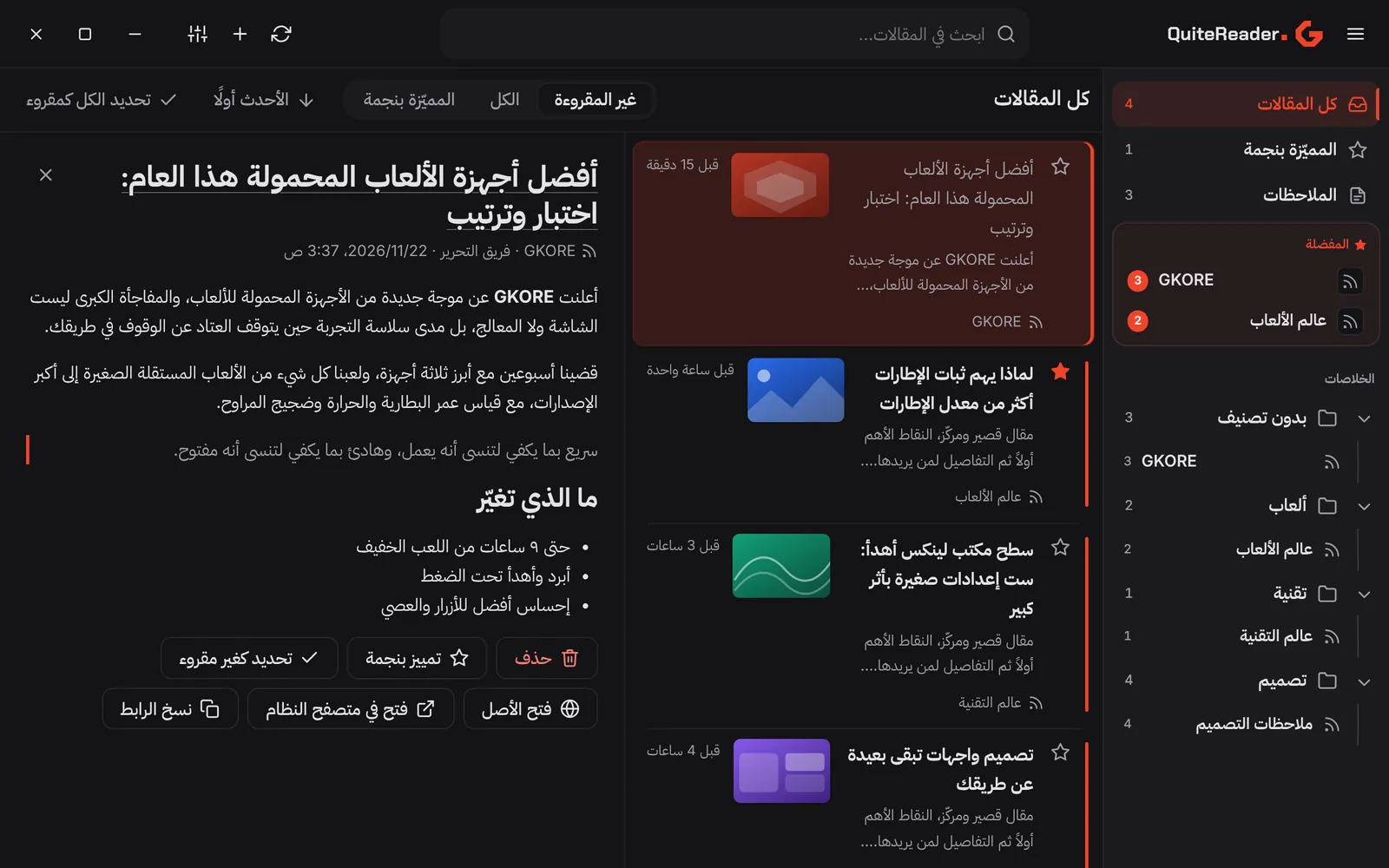
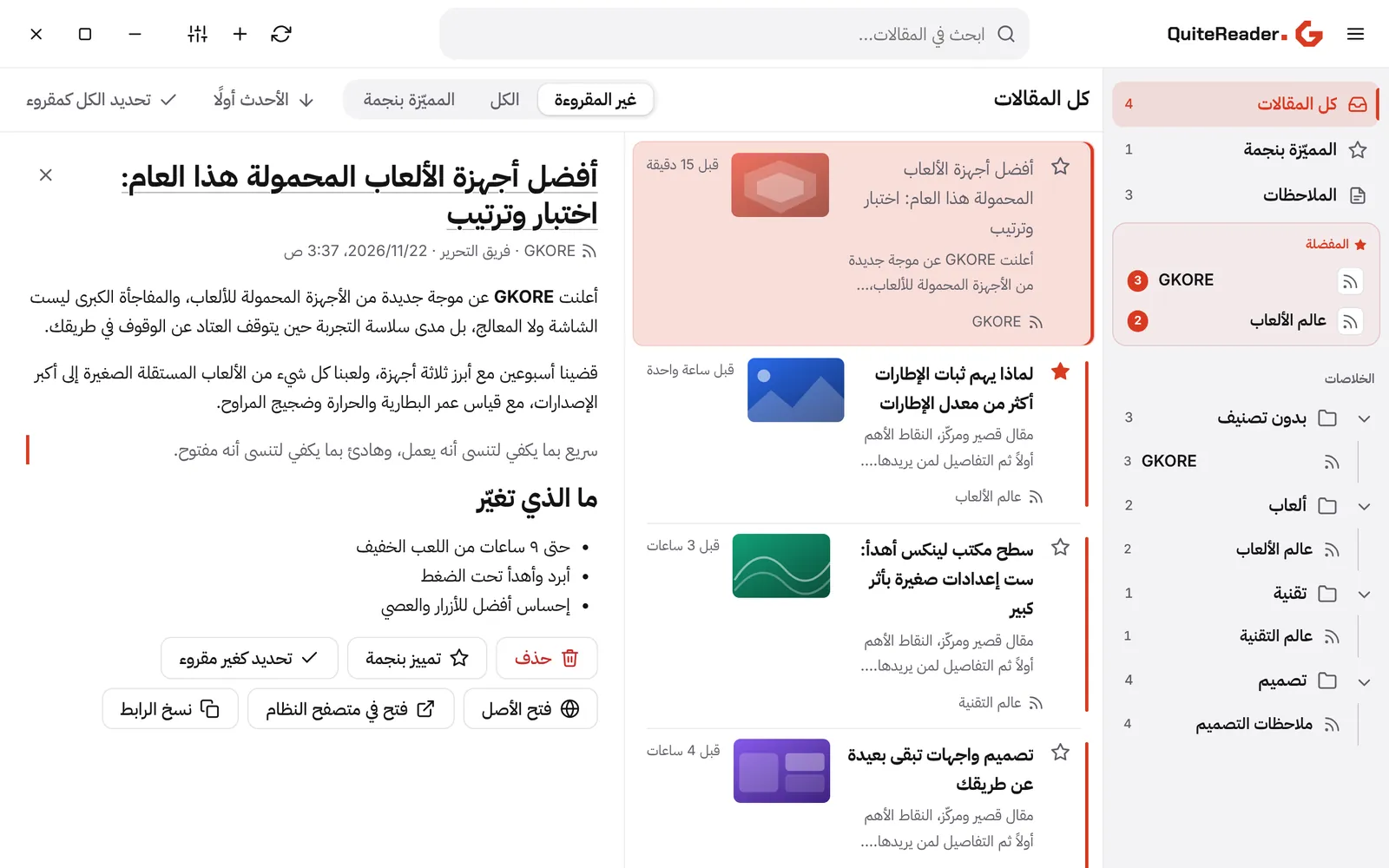
The whole interface is translated, with proper right-to-left layout for Arabic.

  • English, العربية, Deutsch, 日本語 and Русский
  • Every title and paragraph picks its own text direction
  • Bundled fonts, so it looks the same offline
QuiteReader in Arabic with a right-to-left layoutQuiteReader in Arabic with a right-to-left layout

And more

Small details, done properly

  • Fast by design

    Article bodies load on demand and are pre-loaded while you hover. Huge articles render in small steps, so nothing freezes.

  • Built-in browser

    Open the original page without leaving the app, or hand it to your system browser.

  • Folders and favorites

    Drag and drop to order feeds, group them in folders and pin the ones you check first.

  • OPML in and out

    Bring your feeds from another reader in seconds, and take them with you any time.

  • Shortcuts and gestures

    Move through articles without touching the mouse, or swipe on a touch screen.

  • Feels native

    Desktop notifications, tray icon, start at login and a quick splash screen.

  • Search everything

    Find articles by what you remember, across all of your feeds.

  • YouTube ready

    Paste a channel ID, an @handle or a link. QuiteReader finds the feed for you.

Privacy

Private by design

QuiteReader is built with Rust and Tauri as a local-first app. Your reading habits are your business.

  • Stays on your device

    Feeds, articles and notes live in a local database on your computer.

  • No account, no analytics

    Nothing to sign up for, and no tracking built in.

  • Updates on your terms

    A notice when a new version exists. Nothing is ever installed behind your back.

Get started

Reading in three steps

  1. 1

    Download and install

    Pick your platform below. It takes under a minute.

  2. 2

    Open it

    The GKORE feed is already in your list, so you have something to read straight away.

  3. 3

    Add what you love

    Browse ready-made feeds, paste a website, or import your OPML file.

Download

Get QuiteReader

Version 1.2.0 for Windows, macOS and Linux.

What is new

New in 1.2

  • Ready-made feeds

    About 200 feeds in 20 topics, searchable, added in one click and sorted into folders.

  • YouTube

    Paste a channel ID, @handle or link and QuiteReader builds the feed for you.

  • Add several at once

    One address per line. Any that fail stay in the box with a short reason.

  • Check before you add

    Preview a feed's name, type and latest posts, and see if you already follow it.

FAQ

Questions, answered

Where is my data stored?

On your computer. QuiteReader keeps your feeds, articles and notes in a local database. There is no account to create and no analytics built in.

What does QuiteReader connect to?

The feeds you follow, the sites you open, and app.gkore.co for the update check. It never downloads or installs anything by itself.

How do updates work?

When a newer version is published, QuiteReader shows a small notice and lets you open this page. You decide when to update.

Can I bring my feeds from another reader?

Yes. Import an OPML file from your old reader, and export one any time you want a backup or want to move on.

Does it work with YouTube, Reddit and GitHub?

Yes. Paste a YouTube channel ID, @handle or link, type r/subreddit or u/user for Reddit, or paste a GitHub project link to follow its releases.

Is there a mobile version?

QuiteReader is built for the desktop: Windows, macOS and Linux.

What is already in my list on first launch?

The GKORE feed, https://gkore.co/rss.xml. Delete it if you like, QuiteReader respects that.

Your first feed is already waiting

The GKORE feed is in your list on first launch. Add the rest in a minute.

Download QuiteReader